
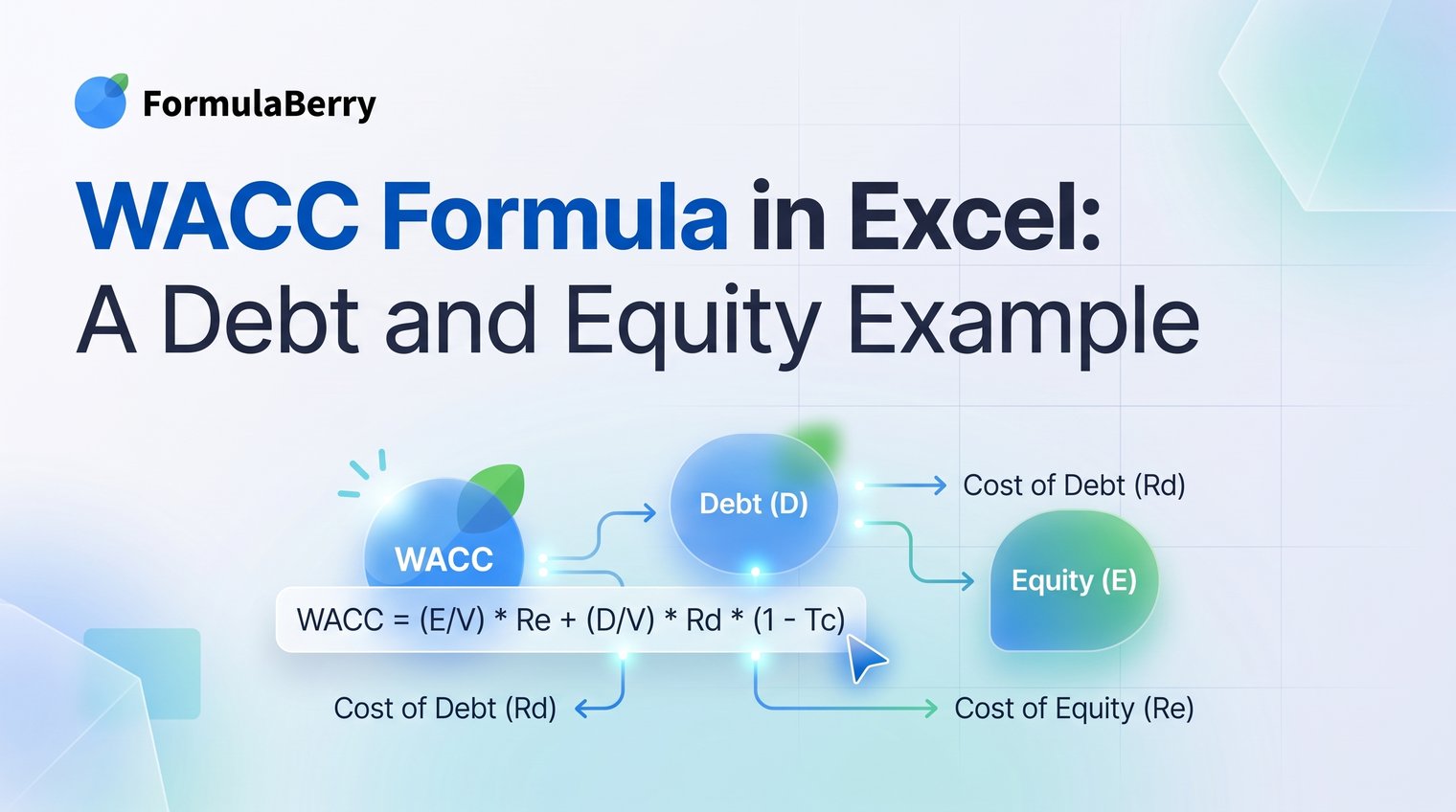
A WACC calculation can look deceptively simple: multiply a few percentages, add the results, and use the rate in a valuation. The trouble starts when debt, equity, tax treatment, and spreadsheet assumptions are buried in one formula. A small reference error can turn a reasonable discount rate into a misleading one.
This worked example shows how to build a transparent WACC formula in Excel using illustrative debt and equity values. You will see the final answer first, then the worksheet structure and formulas needed to make every assumption easy to inspect.
The completed WACC formula in Excel: a debt-and-equity example
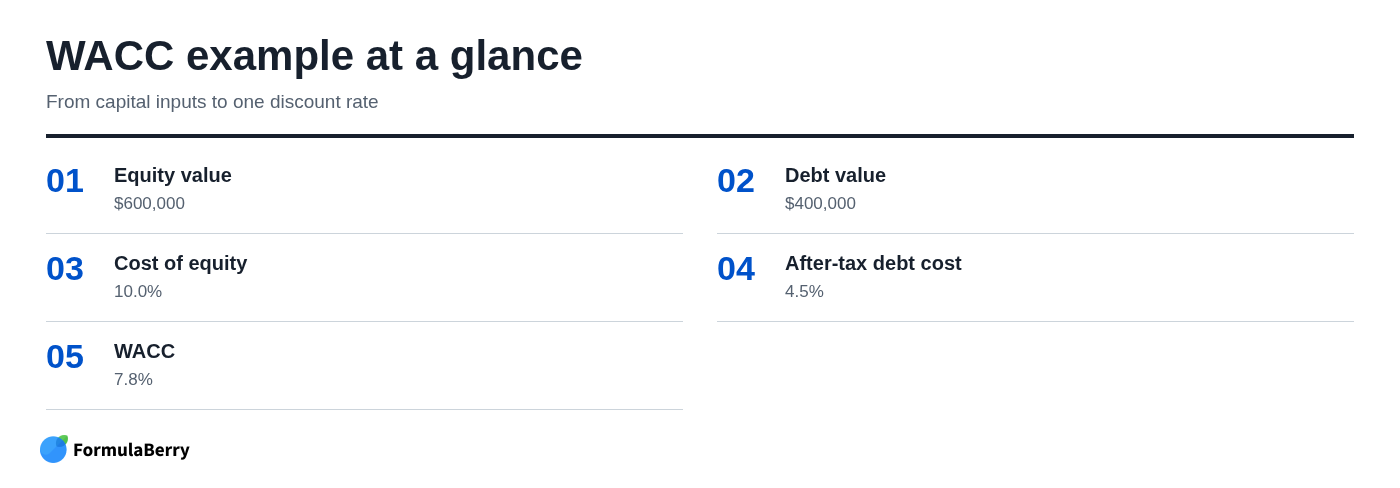
In this illustrative case, a business has $600,000 in equity value and $400,000 in debt value. Its cost of equity is 10.0%, its pre-tax cost of debt is 6.0%, and its tax rate is 25%. The resulting weighted average cost of capital, or WACC, is 7.8%.
| Input or output | Illustrative value |
|---|---|
| Equity value | $600,000 |
| Debt value | $400,000 |
| Cost of equity | 10.0% |
| Pre-tax cost of debt | 6.0% |
| Tax rate | 25.0% |
| After-tax cost of debt | 4.5% |
| WACC | 7.8% |
With values placed in cells B2 through B6, respectively, the completed WACC formula in Excel is:
=(B2/(B2+B3))*B4+(B3/(B2+B3))*B5*(1-B6)
Excel does not have a built-in WACC function. You build it from ordinary cell references and arithmetic, which is useful because the formula can reflect your own capital structure, debt cost, and tax assumptions rather than hiding them inside a black box.
What WACC measures - and what it does not
WACC is the blended return required by a company's providers of capital. Equity investors expect compensation for the risk of owning the business, while lenders require interest for providing debt. WACC combines those required returns according to the relative amount of debt and equity in the company's capital structure.
It is not the same thing as the cost of equity. The cost of equity formula produces one input to WACC: the return shareholders require. WACC also includes debt, the relative weighting of debt and equity, and the tax benefit typically associated with deductible interest expense.
In valuation work, WACC is commonly used to discount unlevered free cash flow. It can also help assess investments that carry risk broadly comparable to the underlying business. It should not be treated as a universal rate for every project, especially when a proposed investment has materially different risk or financing.
The simple WACC formula and the Excel translation
The standard finance equation is:
WACC = (E/V x Re) + (D/V x Rd x (1 - T))
- E = market value of equity
- D = value of debt
- V = total capital, or E + D
- Re = cost of equity
- Rd = pre-tax cost of debt
- T = tax rate
In Excel, the formula becomes a set of linked cell references. If B2 contains equity value, B3 debt value, B4 cost of equity, B5 pre-tax cost of debt, and B6 tax rate, use:
=(B2/(B2+B3))*B4+(B3/(B2+B3))*B5*(1-B6)
Avoid typing values such as 600000 or 10% directly into the final formula. A hard-coded calculation may give the right answer today, but it becomes difficult to review, update, or defend when assumptions change. If you need help turning a cell layout into a working expression, see this Excel Formula Generator: Create, Explain, and Fix Formulas.
Use market values for debt and equity weights
For equity, the normal starting point is market capitalization: current share price multiplied by shares outstanding. Market value reflects what investors currently believe the equity is worth, which is more relevant to a required-return calculation than an old accounting balance.
Debt is less straightforward because many businesses do not have a continuously quoted market value for every loan or bond. Use an appropriate current debt value when available. Book debt can be a practical proxy, particularly in a simple internal model, but be consistent about the basis used and document the choice.
Mixing a current market value for equity with a stale or unsuitable debt figure can distort your weights. The issue is not that a proxy is always wrong; it is that an unexplained proxy makes the estimate harder to trust.
Apply the tax shield only to debt
Interest expense is generally tax-deductible, so debt financing can have a lower after-tax cost than its stated interest rate. That is why the debt term is multiplied by (1 - tax rate).
Do not apply the same adjustment to the cost of equity. Dividends and shareholder returns do not create the same corporate interest deduction, so multiplying the equity cost by one minus the tax rate is a common and consequential mistake.
The right tax rate depends on the valuation context. A sustainable marginal or planning tax rate is often more useful than a one-off reported rate distorted by losses, credits, or unusual items.
Set up the Excel worksheet so every assumption is visible
A usable WACC model separates what you enter from what Excel calculates. That matters when someone else needs to review the workbook, and it matters just as much when you revisit it three months later and cannot remember why a rate changed.
Start with a clearly labeled input block. Keep currency values in one consistent format and show return assumptions as percentages. Then place calculated capital weights, the after-tax debt cost, and the final WACC beneath or beside the inputs.
| Cell | Label | Value or formula |
|---|---|---|
| B2 | Equity value | $600,000 |
| B3 | Debt value | $400,000 |
| B4 | Cost of equity | 10.0% |
| B5 | Pre-tax cost of debt | 6.0% |
| B6 | Tax rate | 25.0% |
| B8 | Total capital | =B2+B3 |
| B9 | Equity weight | =B2/B8 |
| B10 | Debt weight | =B3/B8 |
| B11 | After-tax cost of debt | =B5*(1-B6) |
| B12 | WACC | =B9*B4+B10*B11 |
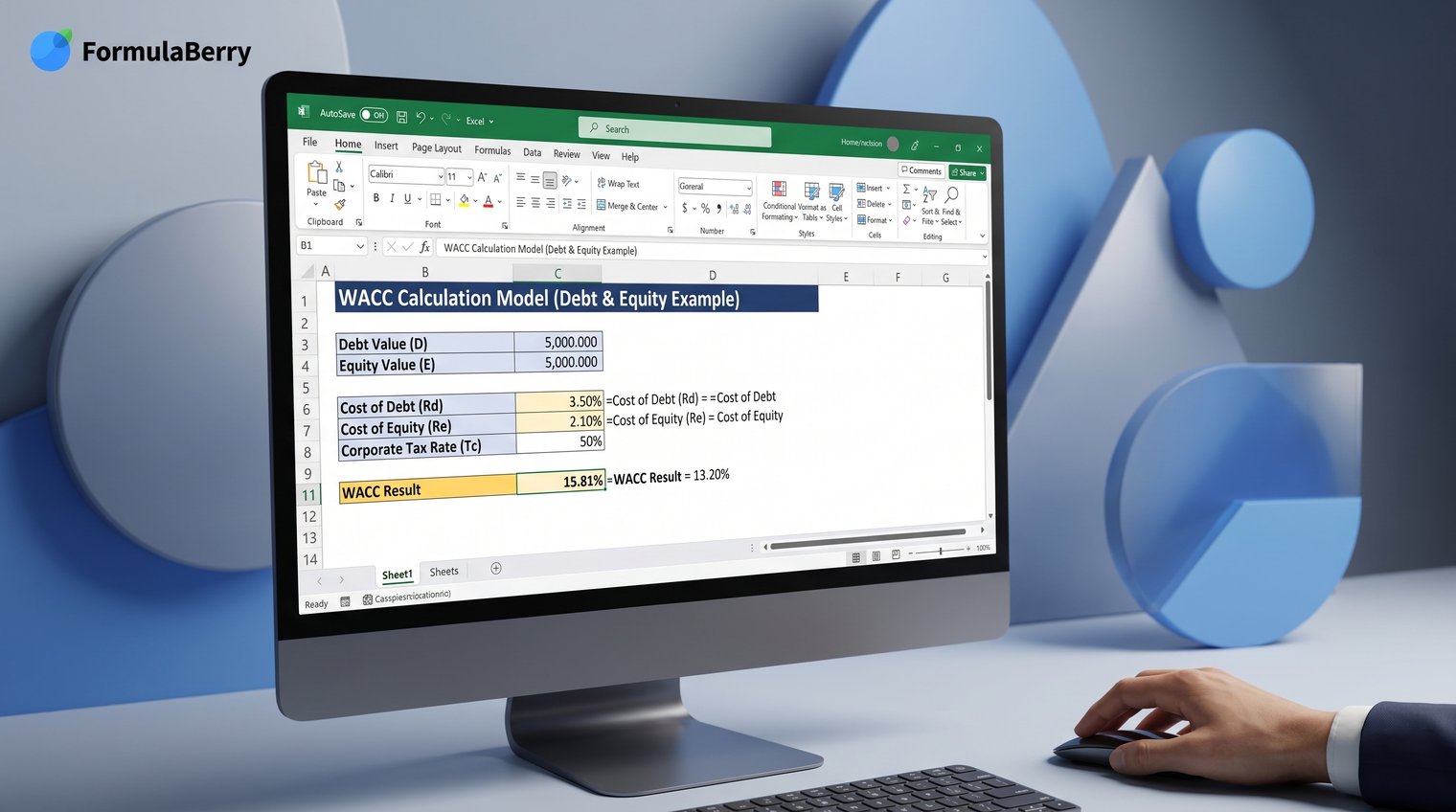
This layout is not cosmetic. It lets a reviewer identify the assumptions, see how each number flows into the output, and replace one driver without accidentally rewriting the rest of the model.
Build the debt and equity WACC example step by step
The following figures are illustrative, not a valuation of a real company. Keep full precision in your worksheet where appropriate, even if you display rounded percentages for easier reading.
Step 1: Enter capital structure and return assumptions
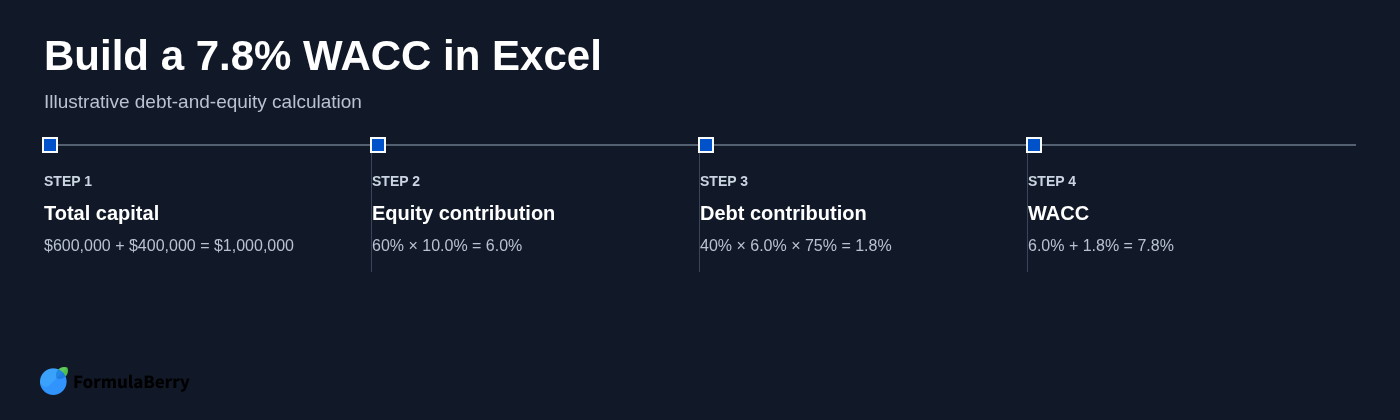
Enter $600,000 for equity value and $400,000 for debt value. Total capital is therefore:
$600,000 + $400,000 = $1,000,000
The capital weights follow directly:
- Equity weight: $600,000 / $1,000,000 = 60%
- Debt weight: $400,000 / $1,000,000 = 40%
For this example, enter a 10% cost of equity, a 6% pre-tax cost of debt, and a 25% tax rate. Those assumptions are the judgment-heavy part of the calculation; Excel only performs the arithmetic.
Step 2: Calculate the cost of equity
The 10% cost of equity is the return shareholders require in this example. It is not a figure Excel can determine automatically from the balance sheet.
A common method for estimating the cost of equity formula is the Capital Asset Pricing Model, or CAPM:
Cost of equity = risk-free rate + beta x market risk premium
For example, an analyst may use a government bond yield as the risk-free rate, a company or industry beta, and an assumed market risk premium. The WACC worksheet does not need to recreate every CAPM input if the 10% rate has already been determined elsewhere, but the source and date of that assumption should be recorded.
Step 3: Calculate the after-tax cost of debt
The debt cost must be adjusted for the tax shield:
6.0% x (1 - 25.0%) = 4.5%
In Excel, use:
=B5*(1-B6)
The result is 4.5%, which is the rate used in the debt portion of WACC. If a company has no taxable income, significant tax loss carryforwards, or an unusual tax position, do not assume the full tax shield will be immediately available without further analysis.
Step 4: Calculate weights and the final WACC formula
The equity contribution is:
60% x 10.0% = 6.0%
The debt contribution is:
40% x 4.5% = 1.8%
Add the two contributions:
6.0% + 1.8% = 7.8% WACC
For an auditable multi-cell model, calculate total capital, weights, and after-tax debt cost in separate cells, then use:
=B9*B4+B10*B11
For a compact one-cell calculation, use:
=(B2/(B2+B3))*B4+(B3/(B2+B3))*B5*(1-B6)
Copyable Excel formulas for the worked example
Use this sample cell arrangement if you want to reproduce the example exactly:
| Cell | Formula |
|---|---|
| B8: Total capital | =B2+B3 |
| B9: Equity weight | =B2/B8 |
| B10: Debt weight | =B3/B8 |
| B11: After-tax debt cost | =B5*(1-B6) |
| B12: WACC | =B9*B4+B10*B11 |
Or place this direct formula in the WACC output cell:
=(B2/(B2+B3))*B4+(B3/(B2+B3))*B5*(1-B6)
Enter rates as percentages, not whole numbers. Type 10% or 0.10 for a 10% cost of equity; both display correctly if the cell is formatted as a percentage. Typing 10 into a percentage-formatted calculation creates a 1,000% value, which will make the final WACC obviously wrong.
Before and after: from a hard-coded estimate to an auditable model
A representative quick calculation might look like this:
=(600000/1000000)*10%+(400000/1000000)*6%*(1-25%)
The formula returns 7.8%, but it is fragile. A reviewer cannot immediately tell where the values came from, whether the debt and equity figures use compatible dates, or whether 6% is a current borrowing rate, a historical interest rate, or an arbitrary estimate.
Before: one opaque formula with assumptions buried inside
Hard-coded formulas create three recurring problems: assumptions are hard to source, changes require editing the formula itself, and transcription mistakes are easy to miss. A revised tax rate can lead to multiple inconsistent versions if someone copies the calculation to another tab.
There is a place for a compact formula in a quick sensitivity table, but it should pull from visible input cells rather than embed the core assumptions.
After: labeled inputs, calculated components, and a checkable output
A stronger worksheet has three areas: inputs, calculations, and output. Debt value, equity value, return assumptions, and tax rate sit in the input block. Capital weights and after-tax debt cost sit in the calculation block. WACC appears once as the final output.
Add a simple check that the debt and equity weights equal 100%:
=B9+B10
Also use a basic reasonableness test. When both capital weights are positive, WACC will generally fall between the after-tax cost of debt and the cost of equity. In this example, 7.8% falls between 4.5% and 10.0%, which is directionally sensible.
How to calculate WACC from financial statements and market data
Financial statements provide several useful inputs, but not everything required for WACC. Debt balances, interest expense, tax expense, and shares outstanding may appear in annual reports or quarterly filings. Those figures help establish the debt position, estimate borrowing costs, and calculate market capitalization.
Other inputs are market-derived. Equity value generally comes from current share price multiplied by shares outstanding. The cost of equity may require a current risk-free rate, beta, and market risk premium assumption. The current cost of debt may come from recent borrowing rates, bond yields, credit spreads, or an informed estimate based on comparable financing.
Use inputs that align on date and currency. A current share price paired with debt from a report two years old can produce weights that no longer represent the business. Likewise, do not combine euro-denominated debt with dollar-denominated equity without converting one side consistently.
Keep source notes in the workbook: the document or market source, the date observed, and any judgment applied. That record is often more valuable in review than another decimal place in the WACC output.
Use FormulaBerry to generate or explain the spreadsheet formula
Once the financial assumptions are set, FormulaBerry can help turn your cell layout into an Excel or Google Sheets formula. For example, you could ask for a formula that uses equity value in B2, debt value in B3, cost of equity in B4, pre-tax debt cost in B5, and tax rate in B6.
It can also help explain an existing expression such as =(B2/(B2+B3))*B4+(B3/(B2+B3))*B5*(1-B6), making it easier to check whether the tax adjustment is applied only to the debt term. That is useful when reviewing a workbook created by someone else or cleaning up a compact formula before sharing it.
The tool can assist with formula construction, correction, and explanation. It cannot choose a defensible beta, decide whether book debt is an acceptable proxy, or determine whether a 25% tax rate fits your valuation context. Those remain financial judgment calls.

Common WACC spreadsheet mistakes to catch before using the rate
- Omitting the debt tax shield: Using pre-tax debt cost overstates the debt component when interest is deductible and a sustainable tax shield is appropriate.
- Applying the tax adjustment to equity: The cost of equity is not reduced by one minus the tax rate.
- Using weights that do not total 100%: Check that debt weight plus equity weight equals 1.0, or 100%.
- Confusing cost of equity with WACC: A 10% shareholder return requirement is not automatically the company's overall discount rate.
- Mixing dates, currencies, or valuation bases: Align market data and financial-statement inputs, and state when an approximation is used.
- Using one WACC for unrelated risks: A project with different operating risk or leverage may require a different discount-rate approach.
Finally, test the model with reasonable sensitivity ranges. Try a higher and lower cost of equity, debt cost, tax rate, or capital weighting to see which assumption moves the result most. Sensitivity testing does not make the rate certain, but it reveals whether your valuation depends heavily on one judgment.
Apply the same WACC model to your own valuation
The repeatable process is straightforward: choose defensible assumptions, calculate debt and equity weights from appropriate values, adjust only debt for taxes, and keep each component visible in the workbook. The arithmetic is simple; the quality of the result depends on the assumptions and the discipline of the model.
For the worked example, $600,000 of equity and $400,000 of debt produced a 60/40 capital mix. A 10.0% cost of equity and 4.5% after-tax cost of debt then produced a 7.8% WACC. Change the inputs, and Excel updates the model without forcing you to rebuild the logic.
Use FormulaBerry when you need help generating, checking, or understanding the Excel or Google Sheets formula after your assumptions are in place.